A real-time PC monitoring and booking system for Pandora Corp's cybercafe lineup.
Tech Stack: Next.js · Tailwind CSS
Background
Following the completion of the Pandora Corp company profile website, the team came back to me with a second project: a dedicated website for their cybercafe business. Pandora Cybercafe is part of the broader Pandora Corp ecosystem, and they wanted a web presence that went beyond a simple introduction something functional that customers could actually use.
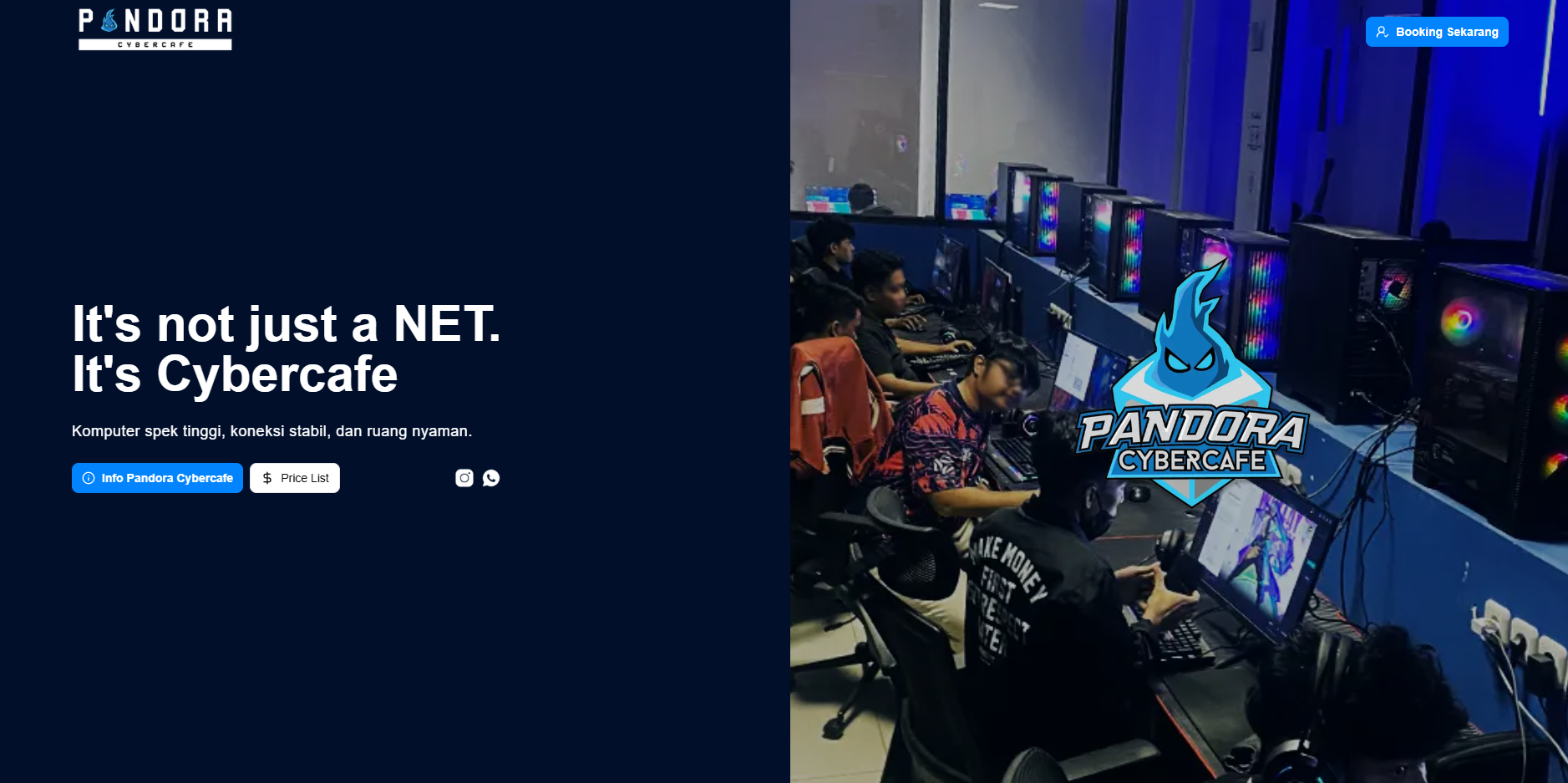
The goal was to build a site that introduces the cybercafe, showcases the hardware available at each location, displays branch locations, and most importantly lets customers check PC availability and make a booking in real time. Rather than calling ahead or showing up and hoping a seat is free, users would be able to see live PC status directly on the website and reserve a station instantly.
This was a more technically demanding project than the company profile, requiring integration with an existing third-party billing and monitoring system that Pandora Cybercafe was already running internally.
Problems & Challenges
- Real-time PC availability How do I pull live PC status data (available, in use, under maintenance) from an external system and expose it in a clean, usable way for the booking interface?
Solution
Reverse-Engineering the Monitoring System
After reviewing Pandora Cybercafe's existing setup, I found that they were already using a third-party platform to monitor their PCs internally. This system tracked which stations were active, idle, or unavailable exactly the data I needed. However, there was no public API or integration point available.
To work around this, I built a custom scraping layer that sits between the third-party system and the website, functioning as my own internal API. This meant the frontend could request live PC status data without ever needing to touch the third-party system directly.
The main challenge was making sense of the data. The third-party platform's response structure was heavily numerical statuses were represented as raw numeric codes rather than readable labels. There was no documentation, so I had to study the response patterns over time to map out what each value meant:
- Which number indicated a PC was available
- Which indicated it was actively in use
- Which indicated it was offline or under maintenance
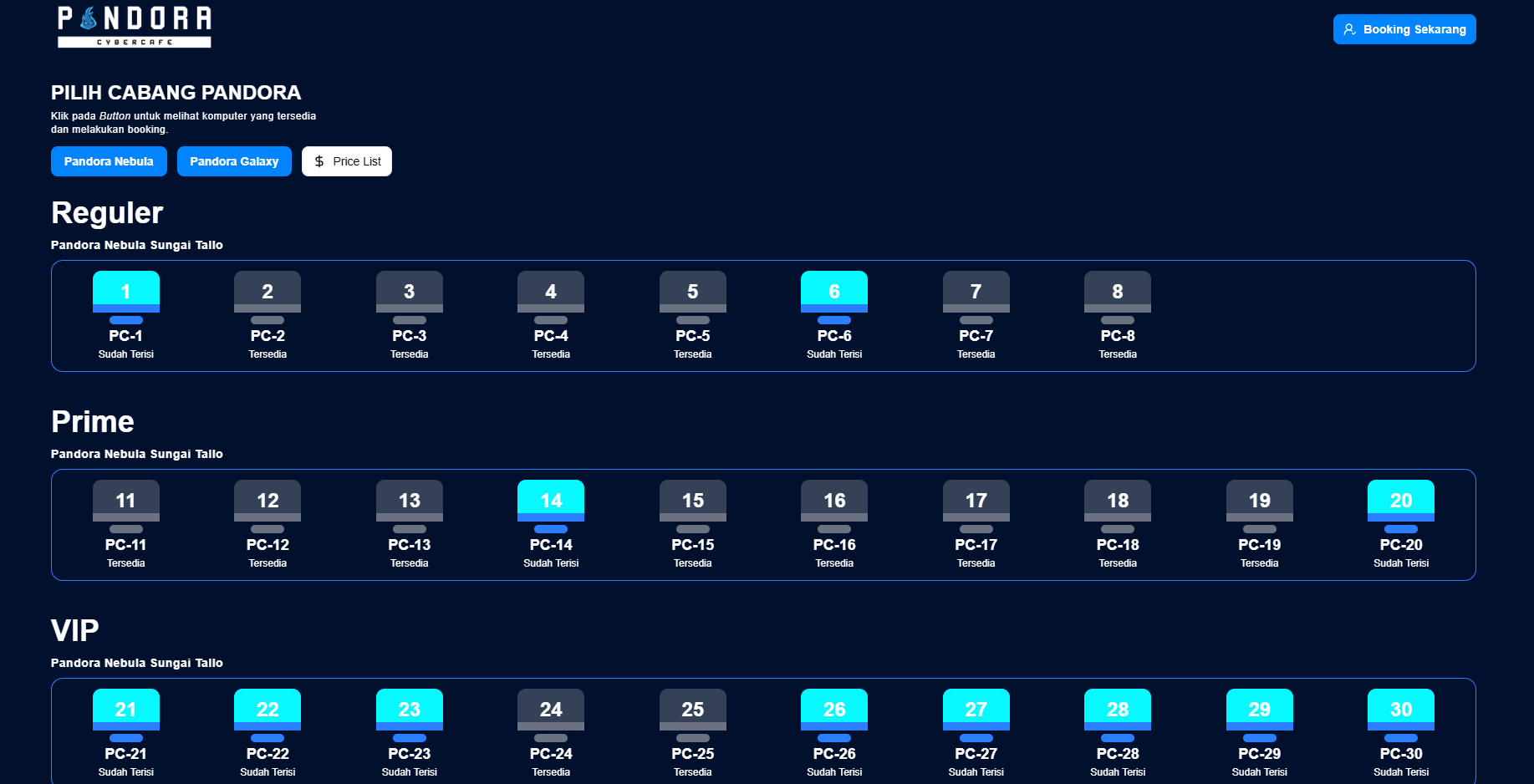
Once I had a reliable pattern mapped, I built an API layer that intercepts the raw response from the third-party system, decodes the numeric statuses, and returns a clean, simplified JSON structure to the frontend something like { id: "PC-01", status: "available" } instead of whatever the billing system was outputting.
Booking Flow
The booking experience was designed to be as low-friction as possible. When a user spots an available PC on the interface, they can click on it to initiate a reservation. Rather than building a custom booking backend from scratch, I routed the reservation directly to Pandora Cybercafe's WhatsApp admin a smart, lightweight solution that fits how the business actually operates and keeps the process personal and responsive.
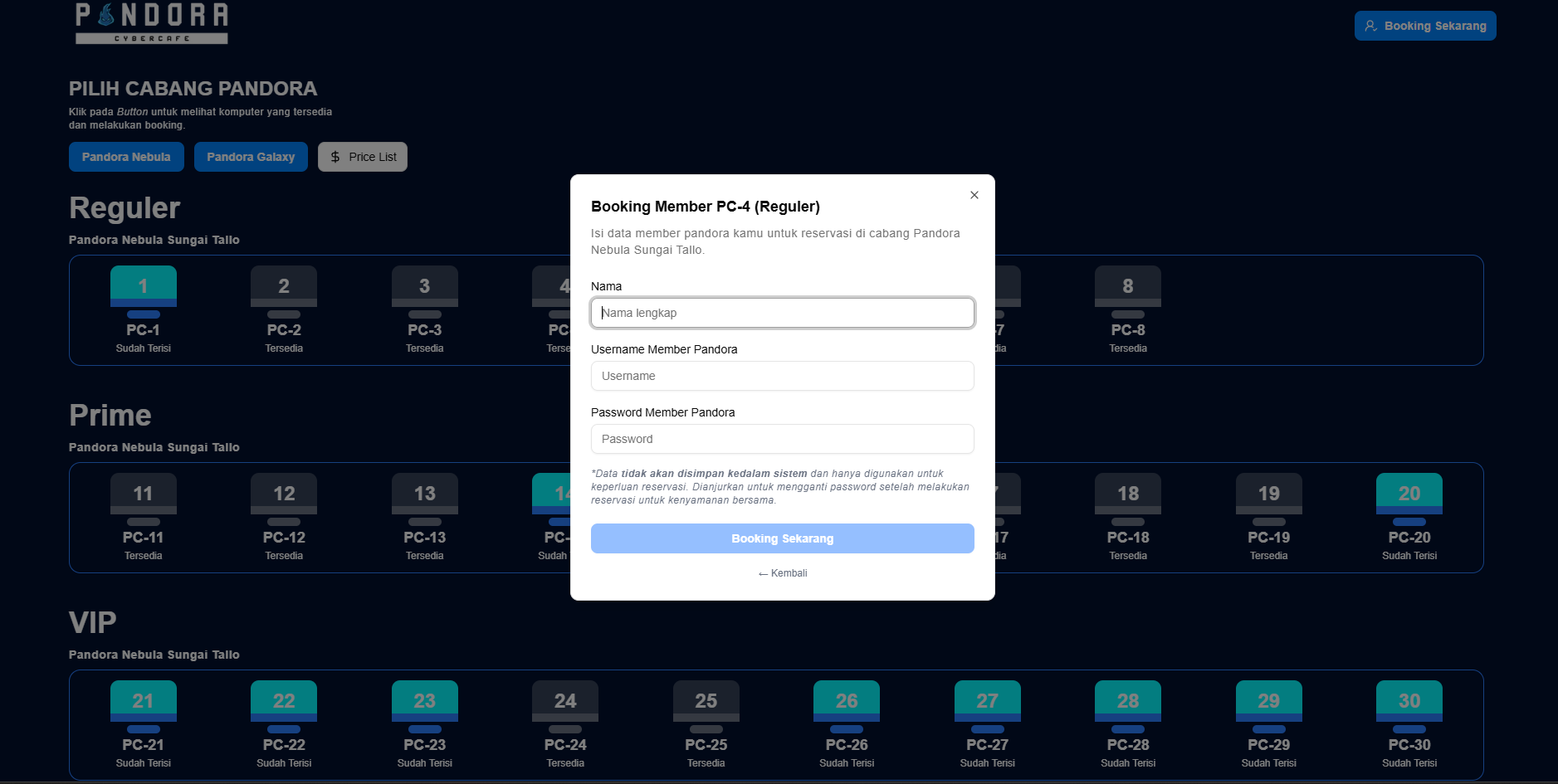
This approach meant no extra infrastructure was needed on the backend for bookings, and staff could manage reservations through a channel they were already comfortable using.
Key Features
- Company Profile Introduces Pandora Cybercafe as a brand, its identity within the Pandora Corp ecosystem, and what sets it apart as a gaming venue
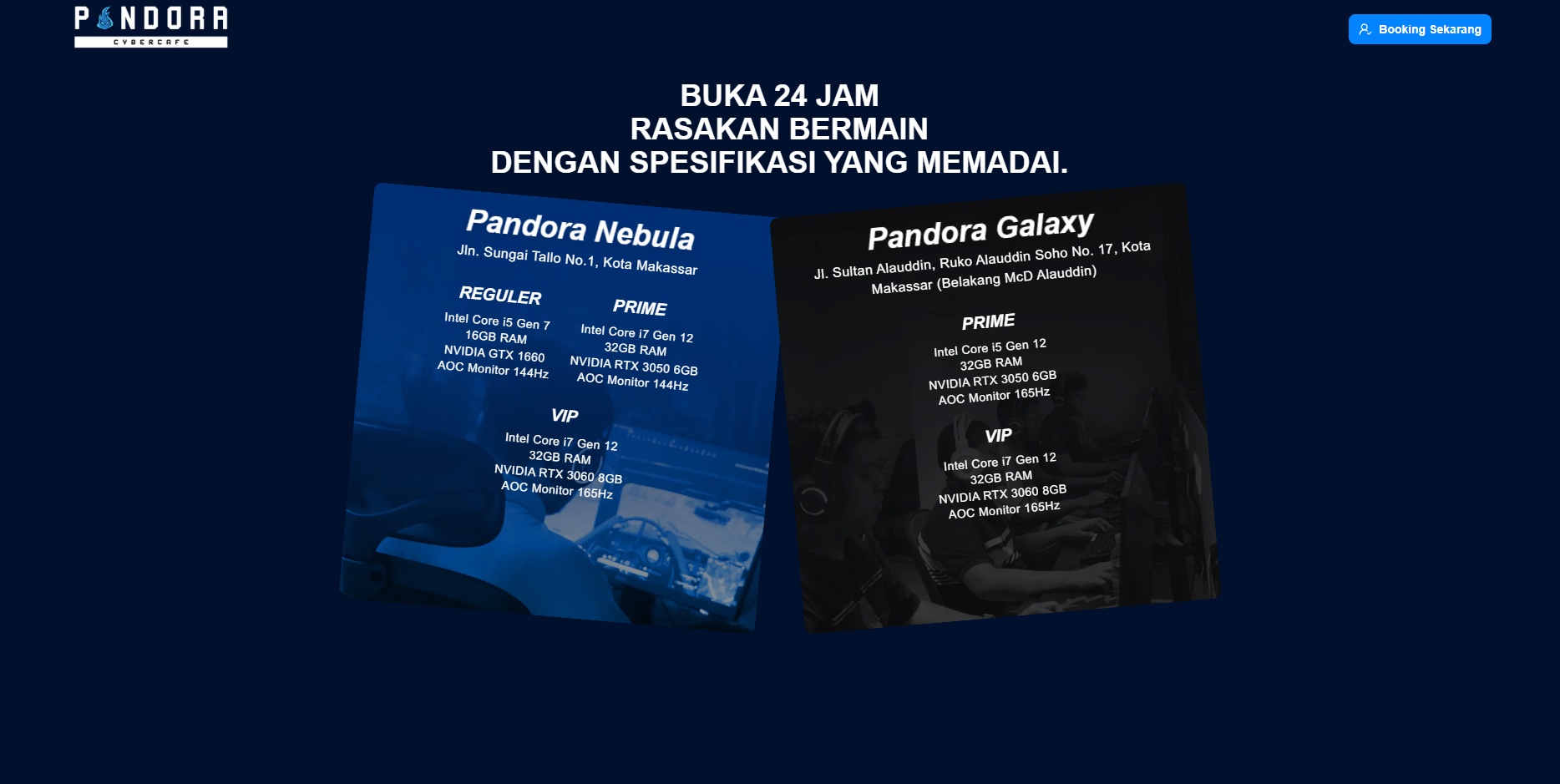
- PC Specifications A detailed breakdown of the hardware available at each location, so customers know exactly what setup they're booking before they walk through the door
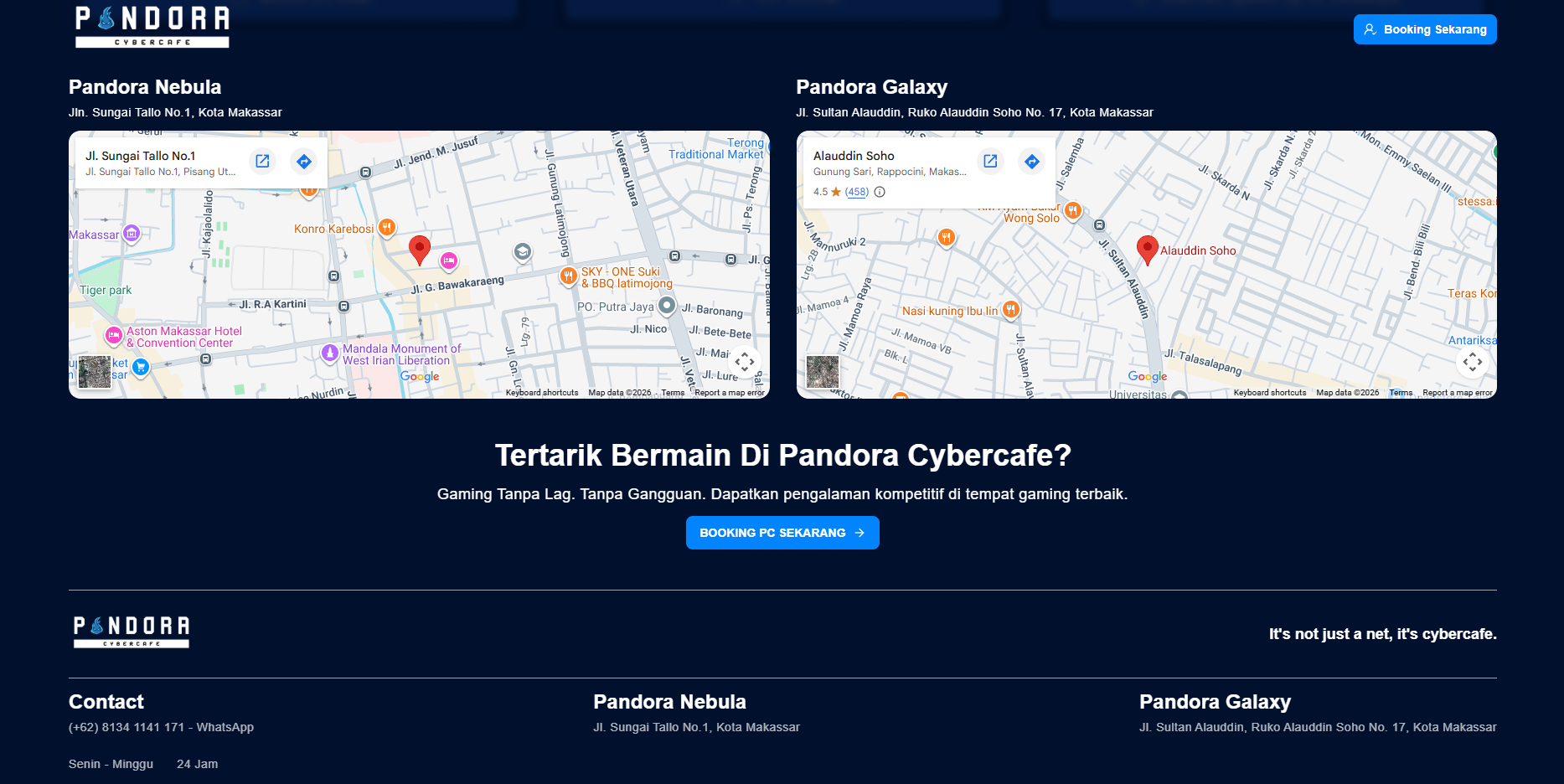
- Cybercafe Locations Branch listings with location details, making it easy for customers to find the nearest Pandora Cybercafe
- Real-Time Booking System Live PC availability pulled from the internal monitoring system, with a one-click booking flow that connects directly to WhatsApp for instant confirmation