My First Full-Stack App Built with Vibe Coding
My first attempt at building a full-stack LFG app with an AI coding agent, from an empty folder to a working interface, and what it took to keep the agent on track.
On this page
Lately, I've been trying to build an app with vibe coding from a completely empty folder. Literally starting from nothing and seeing how far I could get.
I ended up building a full-stack LFG (Looking for Group) / party-finder app. The idea was to help players find people to play with, browse lobbies, and organize a party.
This was my first attempt at letting an AI coding agent do the work across the whole app. I wanted to understand what that workflow actually felt like.
How I was using AI before
Maybe you're thinking, "So you weren't using AI this whole time?" Nah, I was. Before this, I mostly used it as a Google alternative: ask about a problem, get an answer, and move on.
After reading threads and watching other people's workflows, I decided to try building an app with an agent handling the implementation.
And I went all in. Even for small changes to text or colors, I asked the agent to make them. I avoided touching the code myself whenever I could.
The tools and stack
| Part | What I used |
|---|---|
| Coding agent | OpenCode |
| Model | DeepSeek V4 Flash |
| Frontend | Next.js 14 |
| Backend | Laravel 12 |
| Database | PostgreSQL |
| WebSocket | Reverb |
1. Starting with TASK.md
The first step was generating TASK.md. I used ChatGPT with a simple prompt along the lines of:
I want to create an app that does blablabla, can you make a TASK.md for my agents?
Nothing fancy. I needed a starting point that explained what the agent was supposed to build.
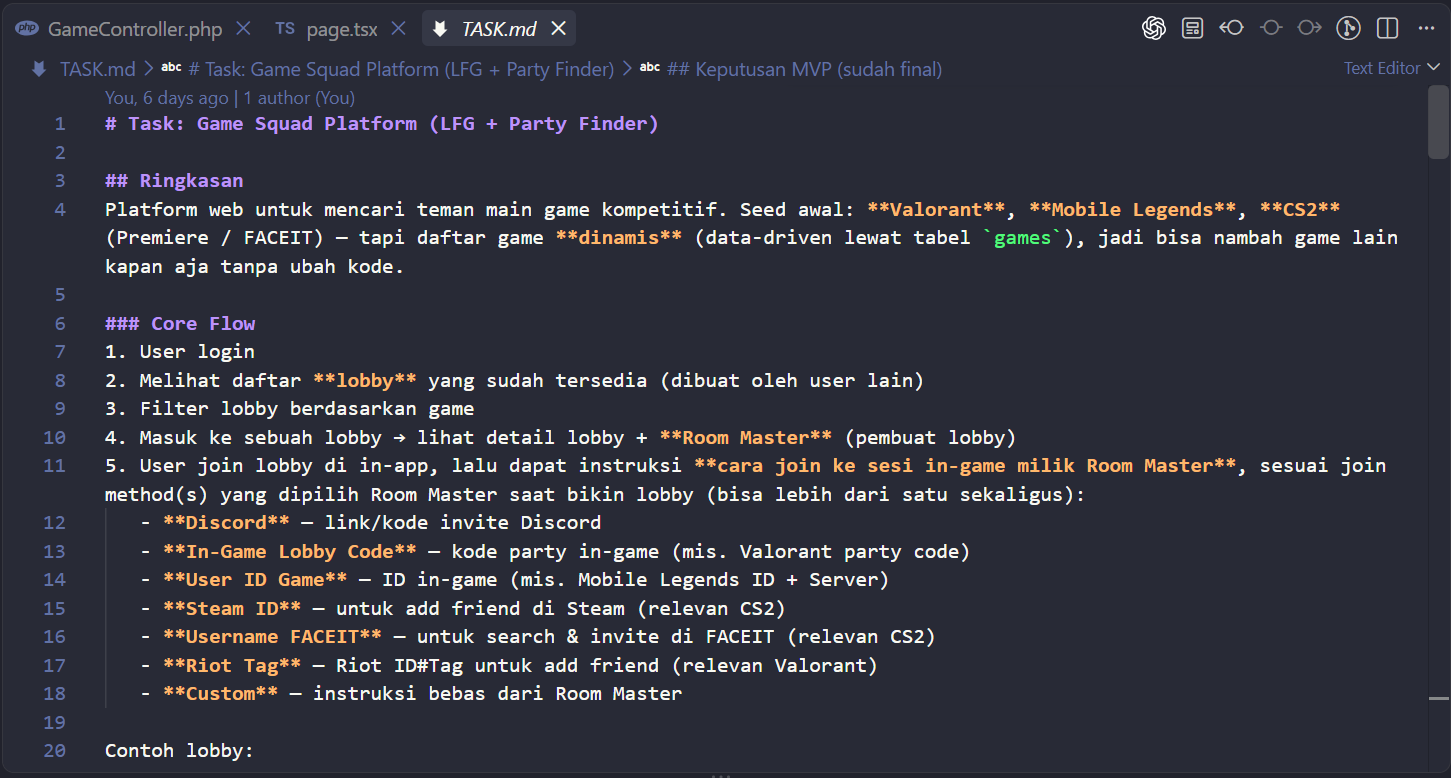
The initial brief: what the app should do and how players would find and join a lobby.
I created a project directory and dropped TASK.md into it. It was the first file in the folder. Everything else came after.
2. Building and revising the UI
Next, I handed the brief to OpenCode with DeepSeek V4 Flash and asked it to build a UI prototype.
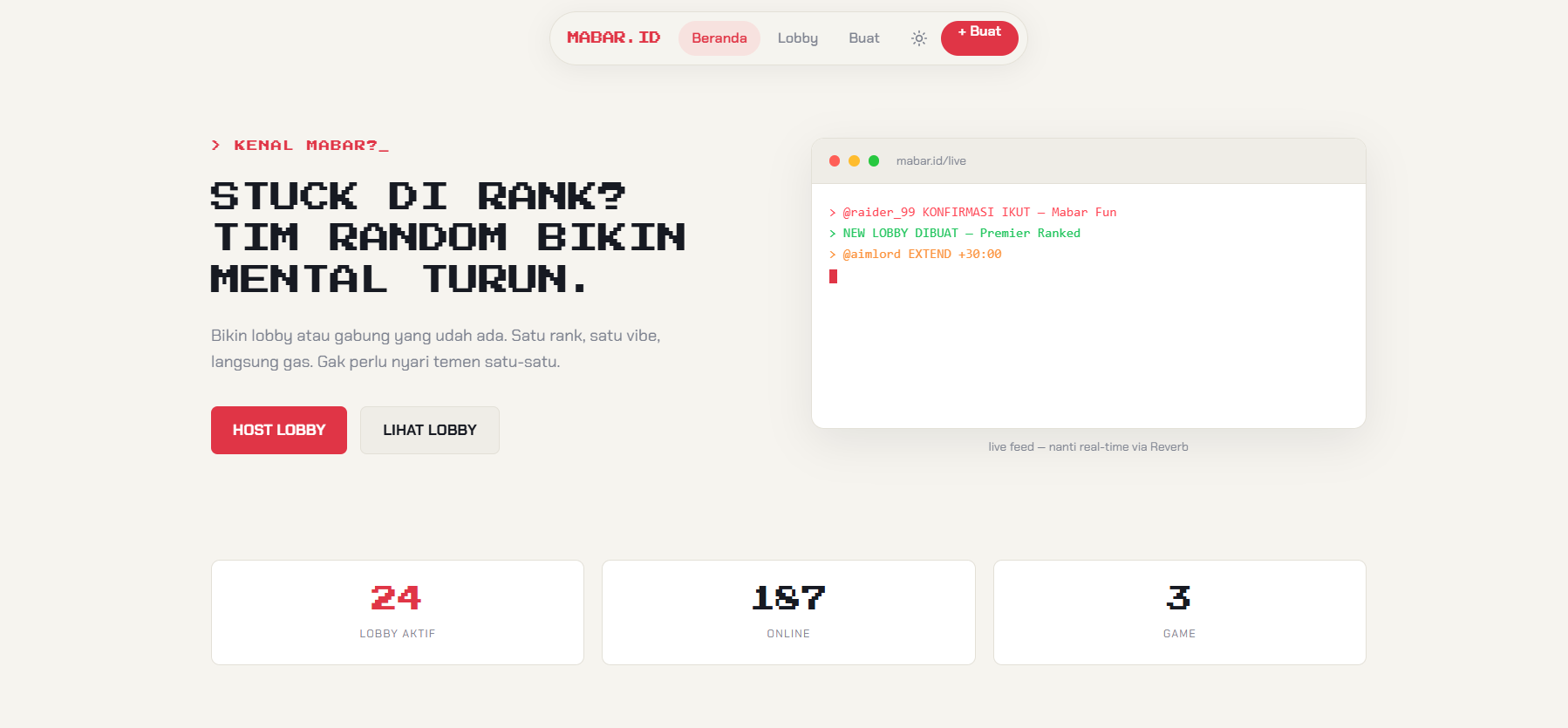
The early homepage prototype, before the later revisions.
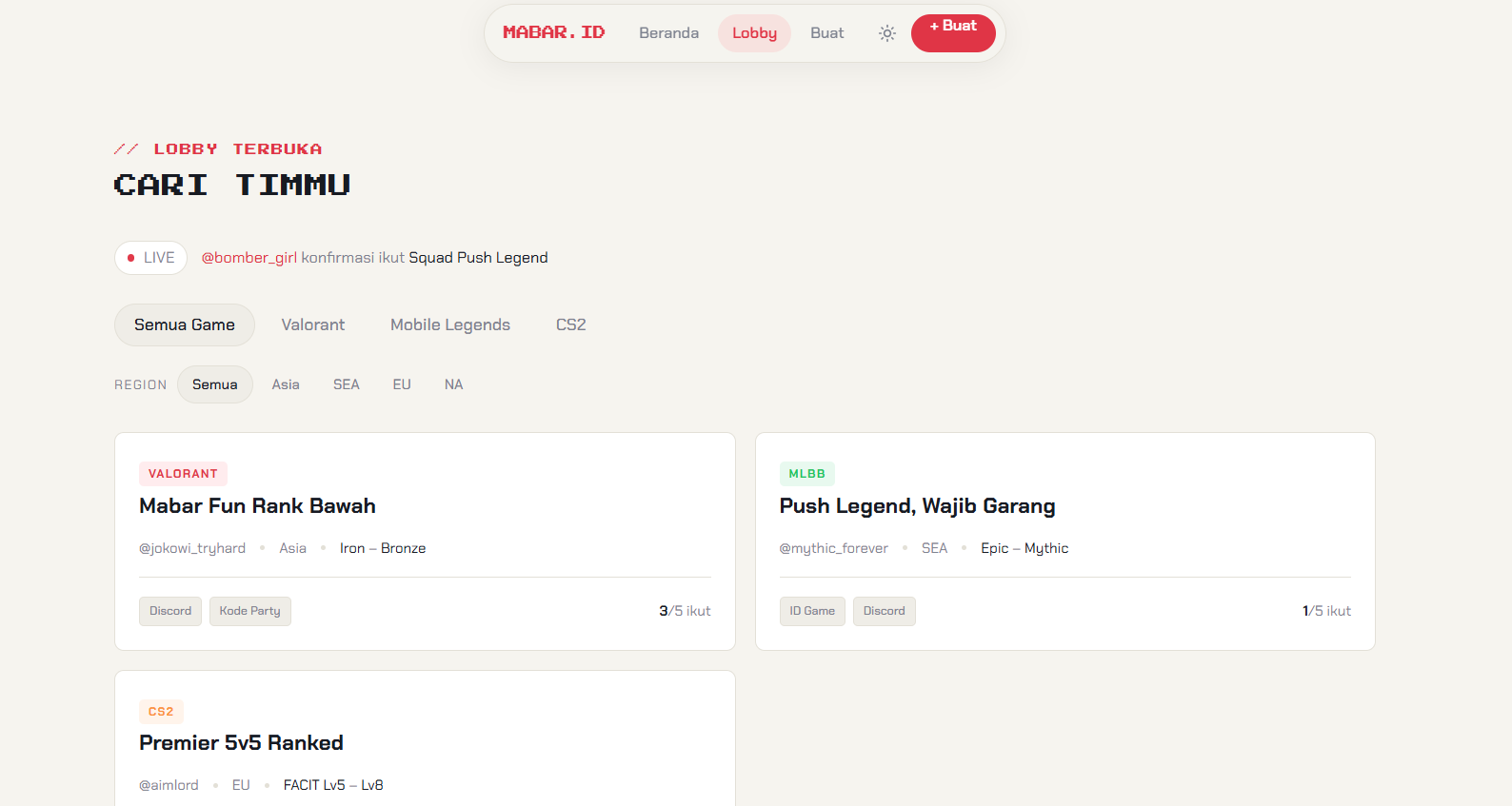
The prototype lobby browser, with filters for games and regions.
It took a bunch of revisions and back-and-forth prompts before I landed on a UI I was happy with.
Once the design was settled, I documented it in UI_DOCS.md. I wanted something the agent could refer to when integrating the UI into Next.js, so the decisions wouldn't get lost along the way.
3. Building the backend and database
With the UI settled, I moved on to the backend and database. Having UI_DOCS.md made it easier to explain what the interface needed and build the backend around it.
This part was fun, but it also felt like brainrot sometimes. I felt more like a prompt engineer than a software engineer, lol. I spent my time writing instructions, checking the result, and asking for revisions.
Keeping the agent on track across sessions
The trickiest part was keeping the agent consistent when I opened a fresh session. Without the context from earlier work, it felt like starting from scratch.
I kept a CHANGELOG.md in both the frontend and backend repositories to record changes and the context behind them. At the start of a new session, I asked the agent to read it before giving it another task.
By that point, I had three documents with different jobs:
TASK.mddescribed what I wanted to build.UI_DOCS.mdrecorded the UI decisions for integration.CHANGELOG.mdkept track of changes across sessions.
Keeping those files up to date became part of the workflow.
What I ended up with
After all the prompting, revising, and burning through a good chunk of tokens, this is where the app landed.
The homepage
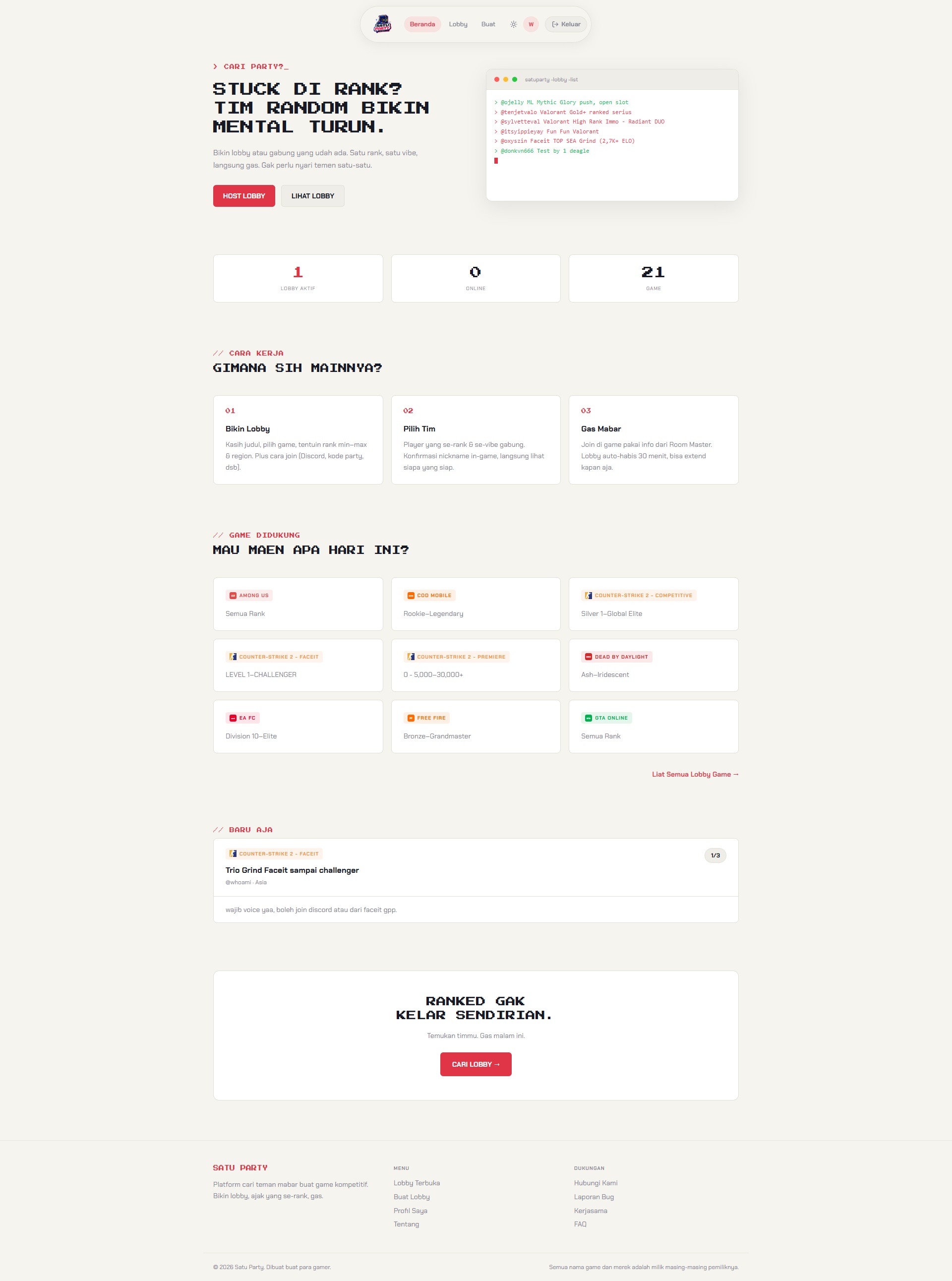
The later homepage, showing the lobby flow and supported games.
Browsing and creating a lobby
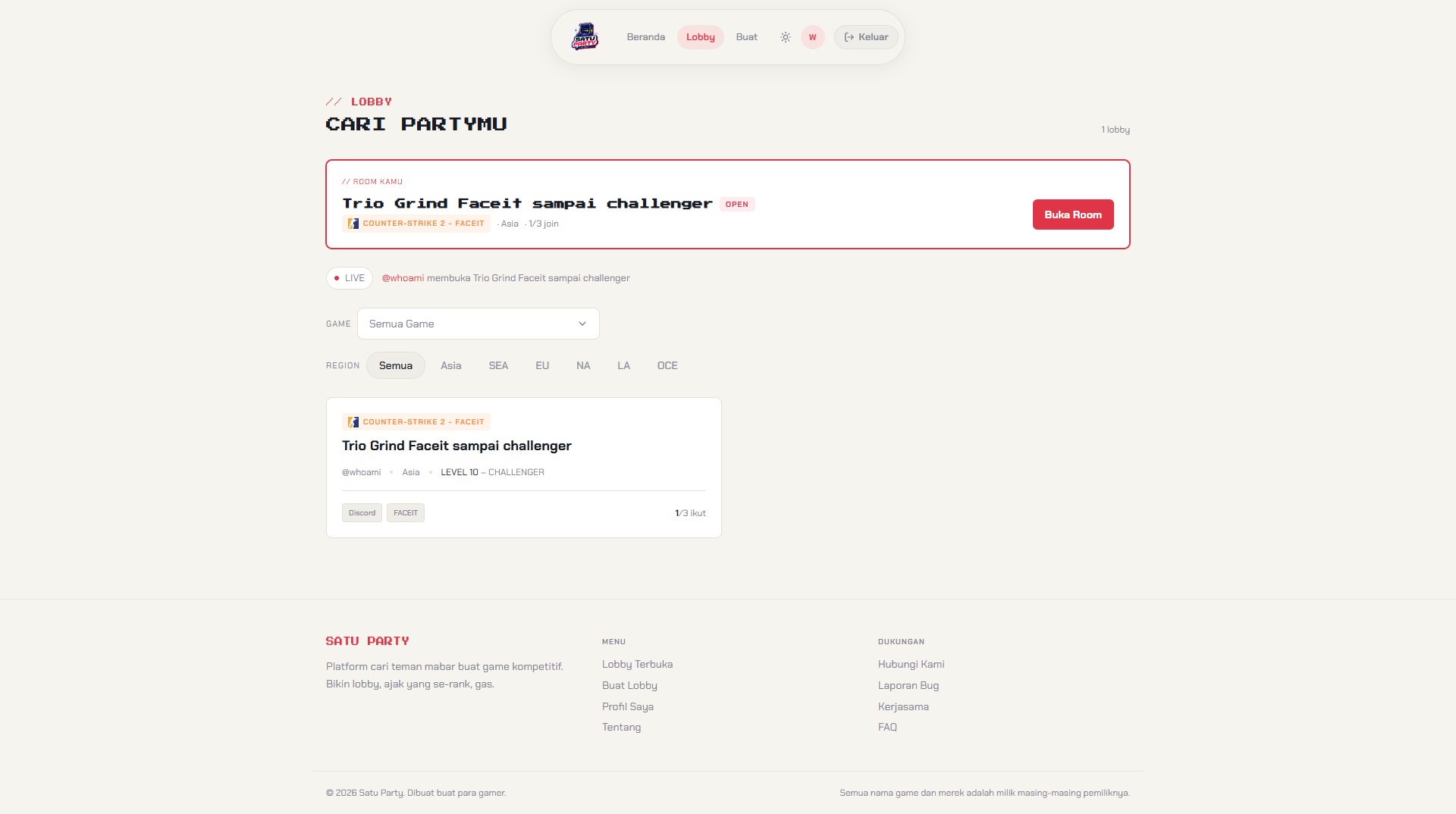
The lobby browser, including a shortcut to the user's own room.
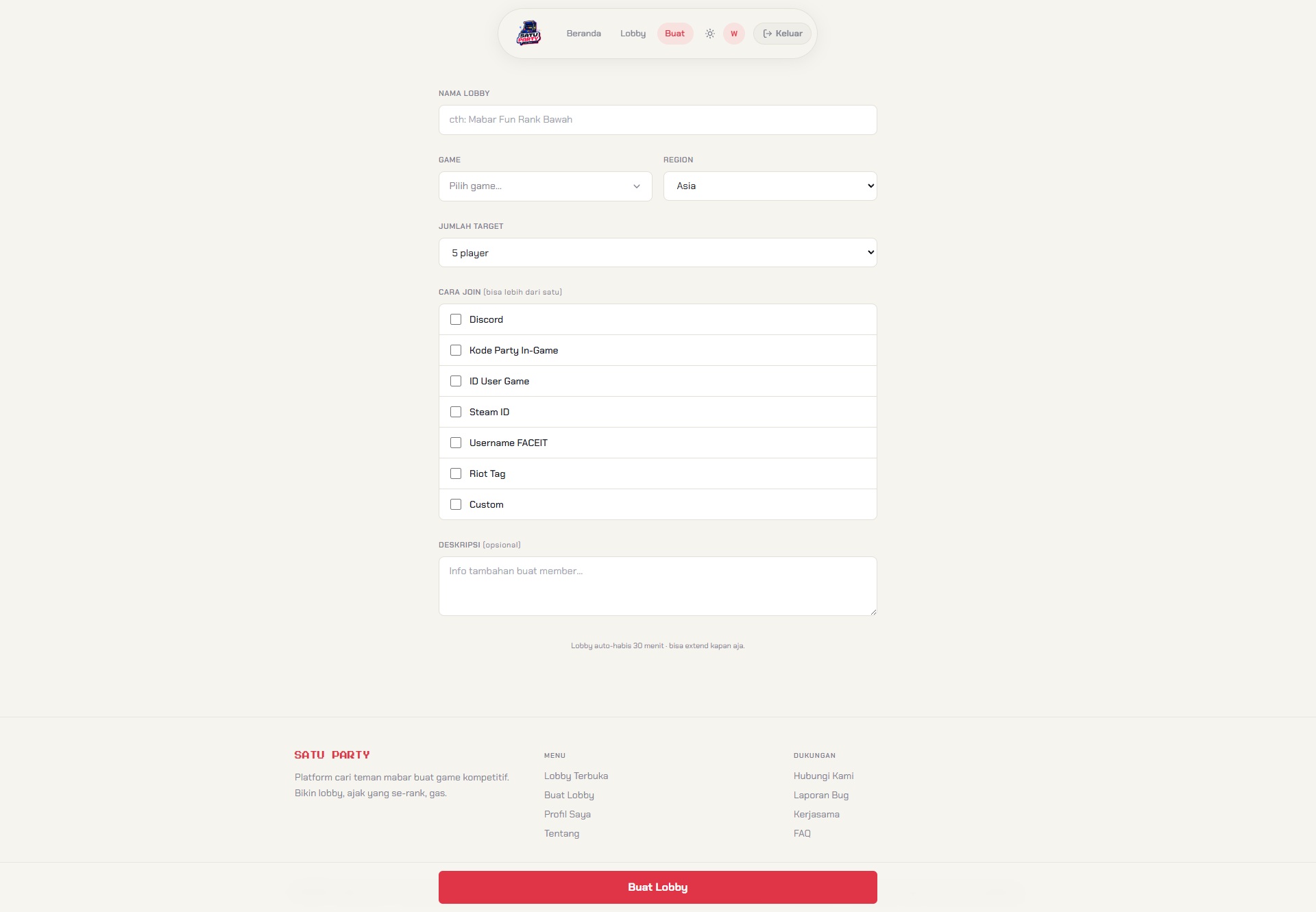
The lobby form, where the host can specify how players should join.
Inside a lobby
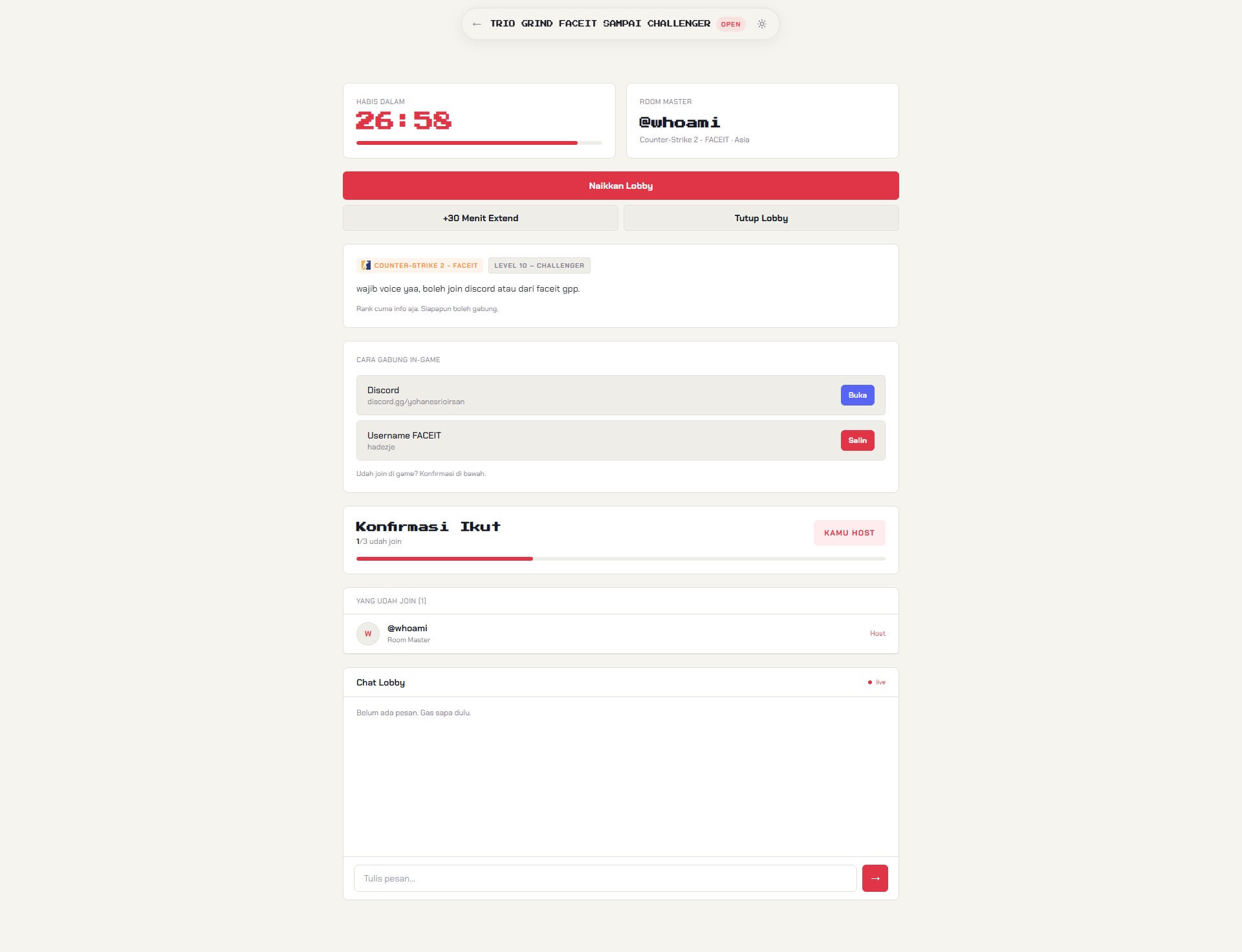
The room view brings the lobby details, joining instructions, and chat together.
Player profiles
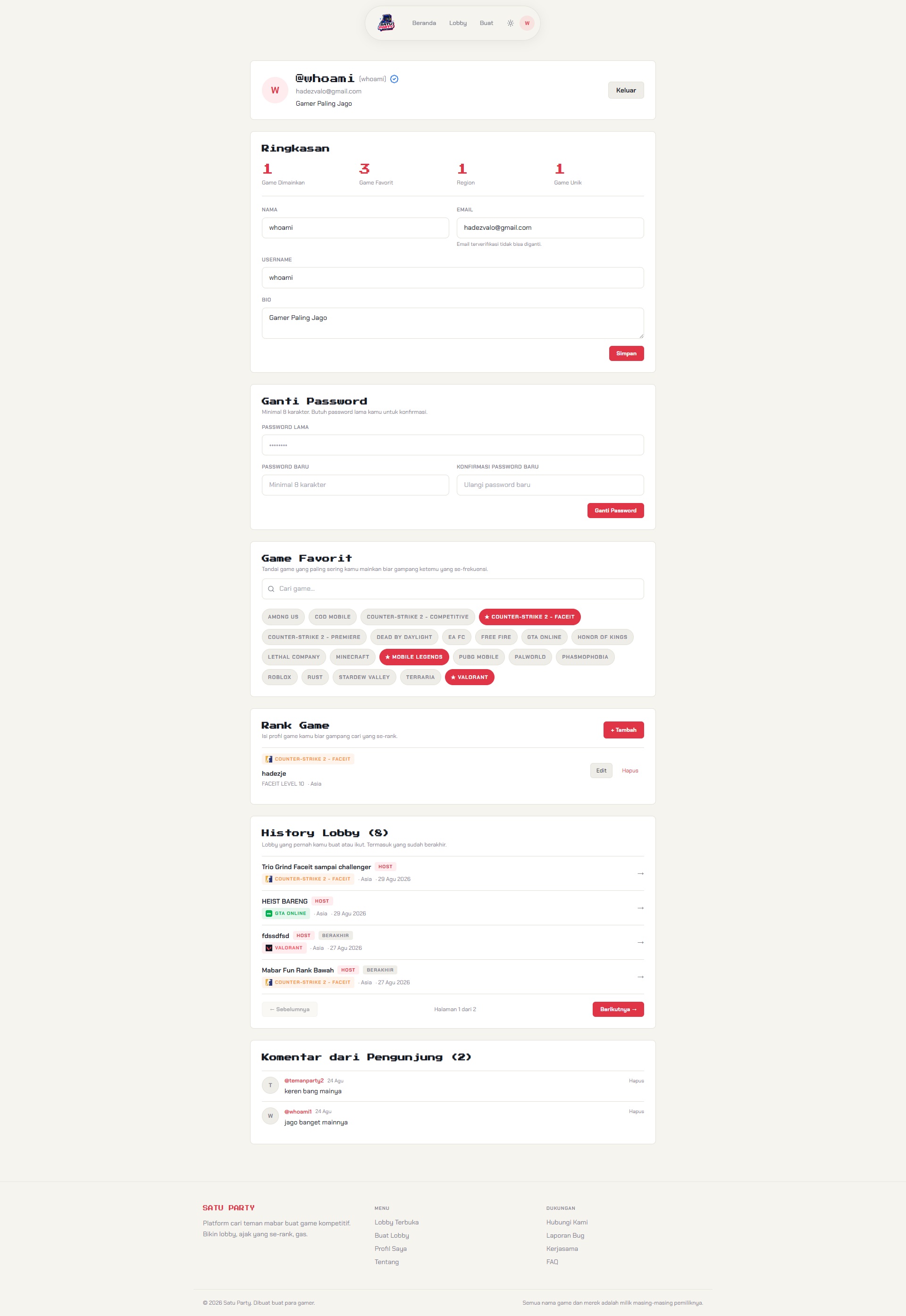
The account page, with profile settings and game preferences.
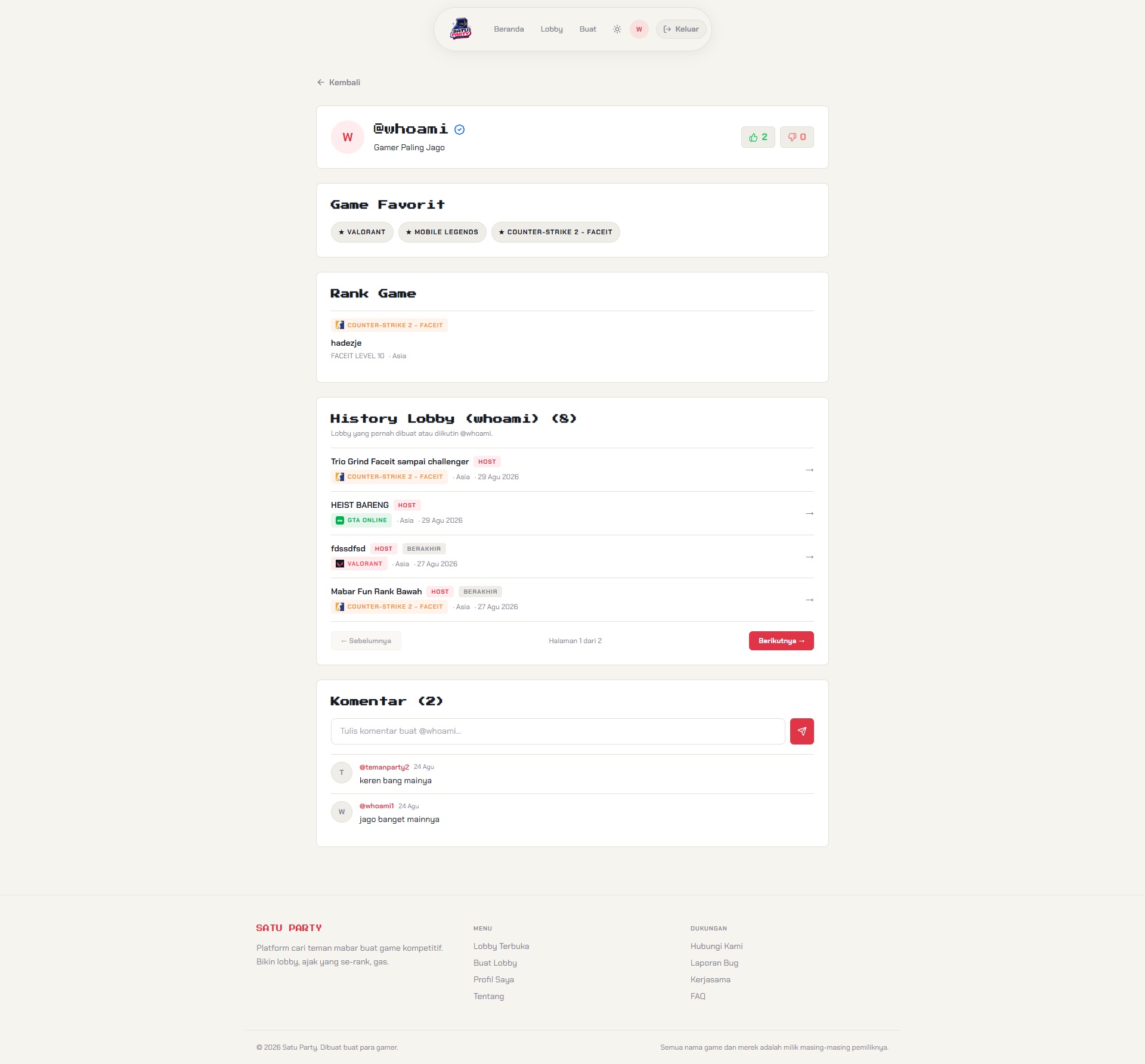
The public profile view, with game information, lobby history, and comments.
How it felt after the first attempt
There's still a ton I want to change to make the app smoother. It's far from perfect.
What stood out was how much time I spent on instructions and context. Asking for a change was easy; keeping the agent consistent through revisions and fresh sessions took more effort.
For a first attempt at full vibe coding, I enjoyed both the process and the result. I started with one Markdown file in an empty folder and ended up with an app I could keep working on.