Lately I've been trying to vibe code a system from a completely empty canvas. Like, literally starting from nothing and just seeing how far I could get. I wanted to learn how full agentic coding actually works, not just poke at it.
Maybe you're thinking "so you weren't using AI this whole time?" Nah, I was using AI, just not like this. Before this, I was mostly just asking AI what my problem was, basically treating it as a Google alternative. Ask a question, get an answer, move on. This is my first time actually using it in full "Agentic" mode, where it's not just answering questions but actually doing the work.
After digging into vibe coding and agentic coding for a bit, reading threads, watching people's workflows, I decided to just build an app with full vibe coding. And I mean FULL. I'm not exaggerating when I say "full vibe code" because even the text or the color, I just told my agent to change it. I didn't touch the code myself if I could avoid it.
I ended up building a full stack "LFG / Looking For Party" app with this stack:
- Agent: OpenCode
- Model: DeepSeek V4 Flash
- Frontend: Next.js 14
- Backend: Laravel 12
- Database: PostgreSQL
- WebSocket: Reverb
Step 1: TASK.md
First step was generating TASK.md. I used ChatGPT for this with a simple prompt like "I want to create an app that does blablabla, can you make a TASK.md for my agents?" And boom, the first TASK.md was generated. Nothing fancy, just a starting point for the agent to actually understand what it's supposed to build.
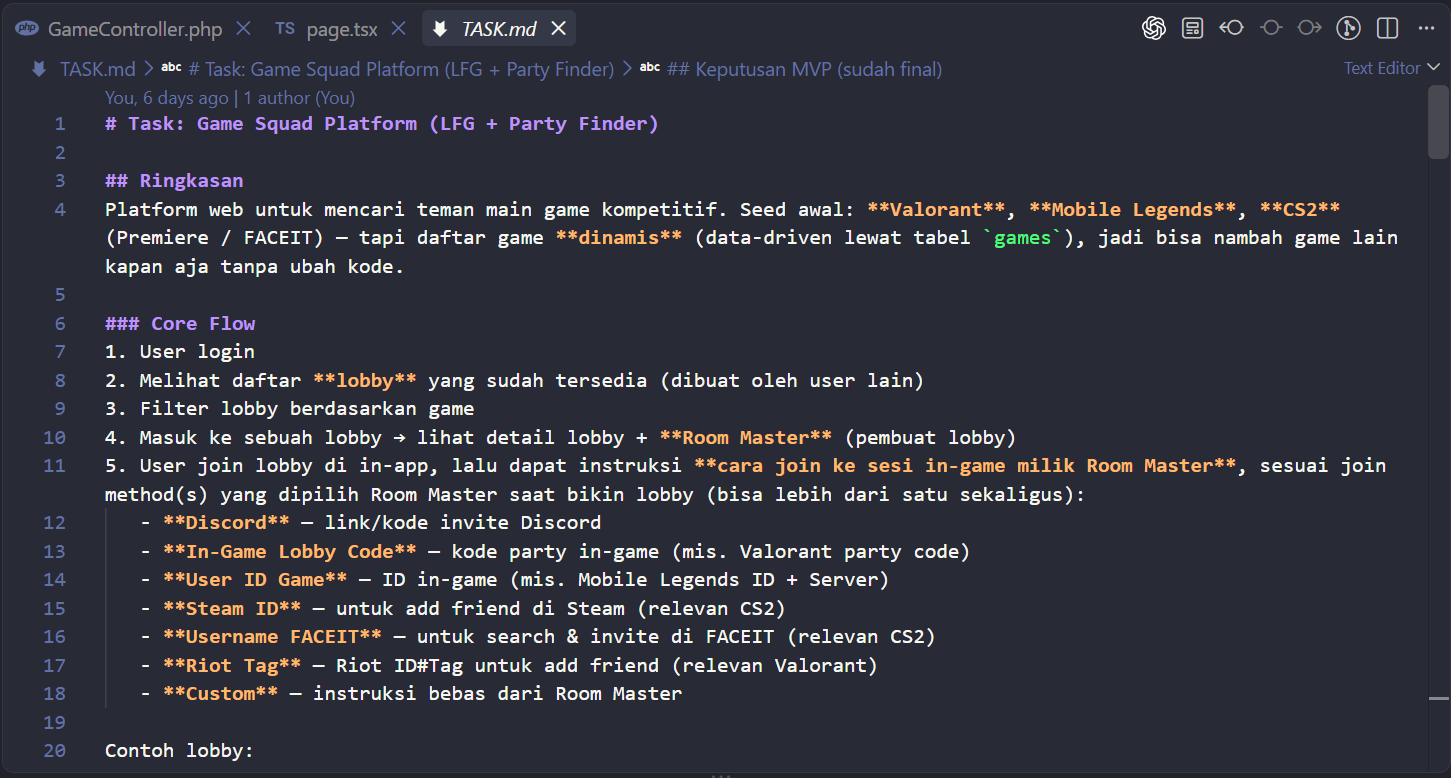
After that I made a project directory and dropped TASK.md in there. It was literally the first file that existed in the whole folder. Everything else came after.
Step 2: UI
Next was the UI, using TASK.md as the reference. I handed it over to OpenCode with DeepSeek V4 Flash to build a prototype, and it looked like this:
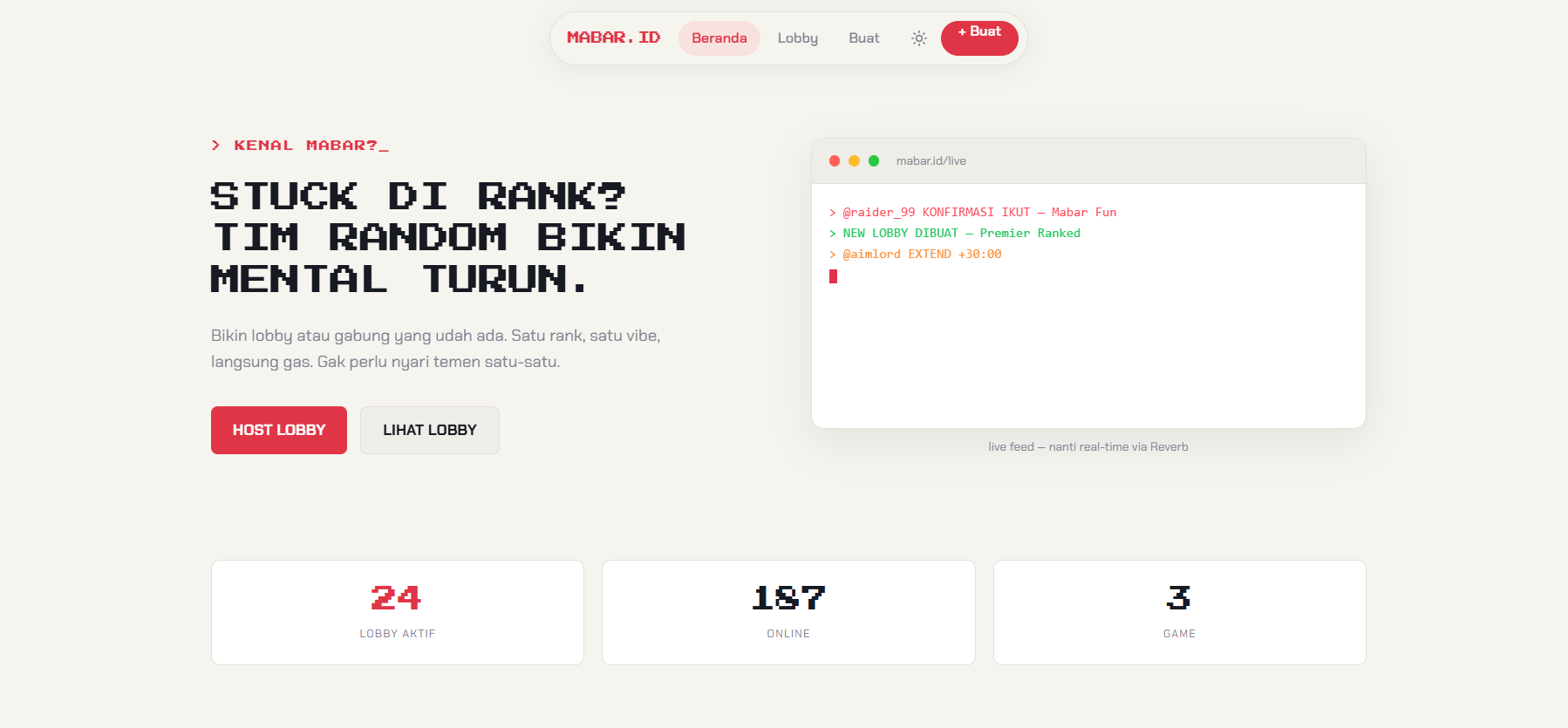
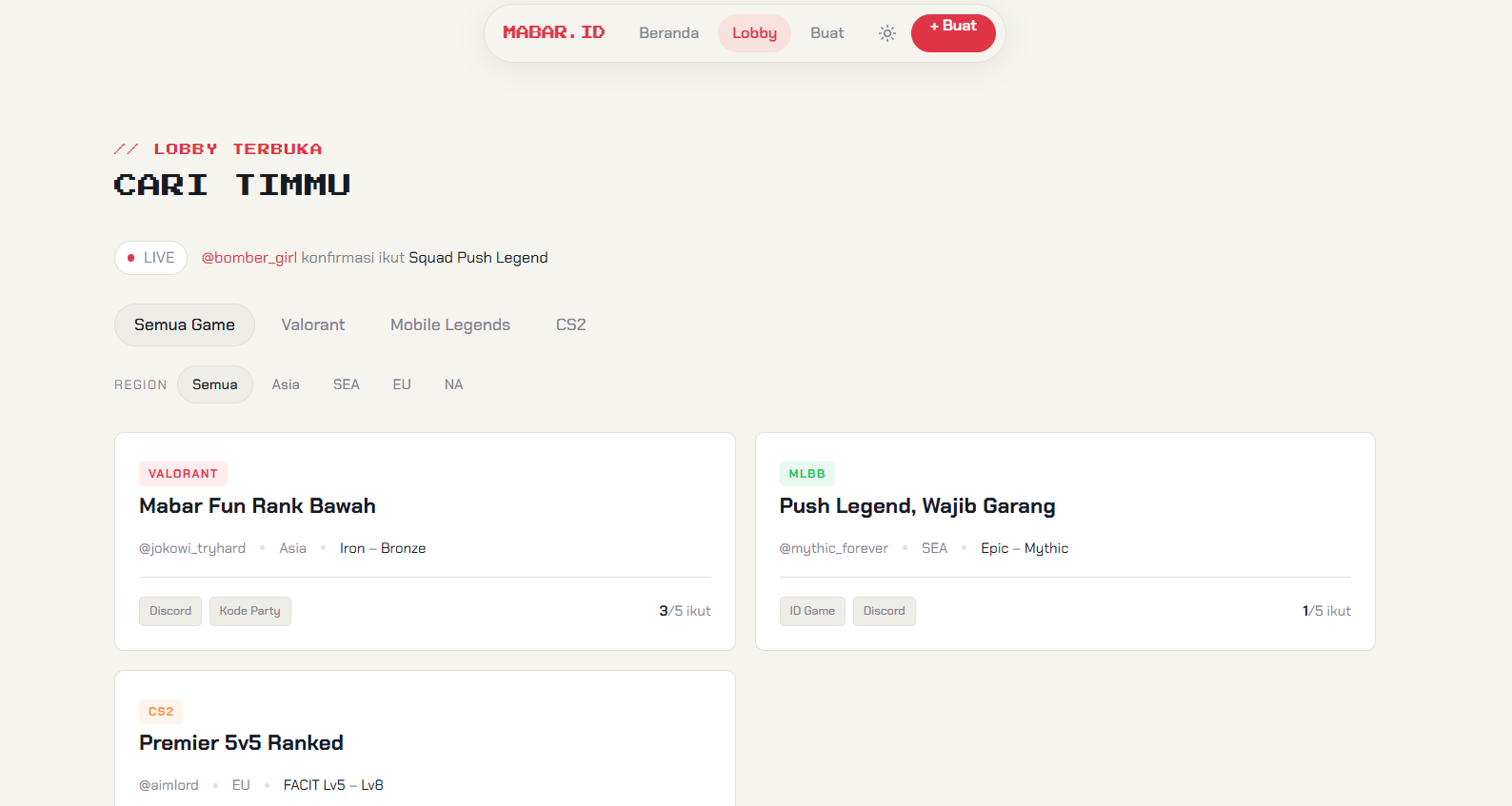
After a bunch of revisions and back and forth prompts, I finally locked in a UI I was happy with. Once that was settled, I made another file called UI_DOCS.md so I could hand it off later when integrating everything into Next.js. Basically documenting the UI so the agent wouldn't lose context down the line.
Step 3: Backend and Database
Once the UI was done, next up was backend and database work. Since UI_DOCS.md already had all the context baked in, it made it way easier for the agent to build the backend around what the UI actually needed, instead of guessing.
Honestly it was fun to do, but it also felt like brainrot sometimes. I felt more like a prompt engineer than a software engineer lol. Like, my job wasn't writing code anymore, it was writing instructions well enough that the code got written correctly.
The interesting part, and honestly the trickiest part, was keeping the agent consistent across sessions. Agents don't remember what happened last time you opened them, so that's why in both the backend and frontend repos I kept a CHANGELOG.md, writing down every context and change so the agent could read through it first before I gave it a new task whenever I opened a fresh session. Without that, it felt like starting from scratch every single time.
After all that prompting, revising, and burning through a good chunk of tokens, here's what I ended up with:
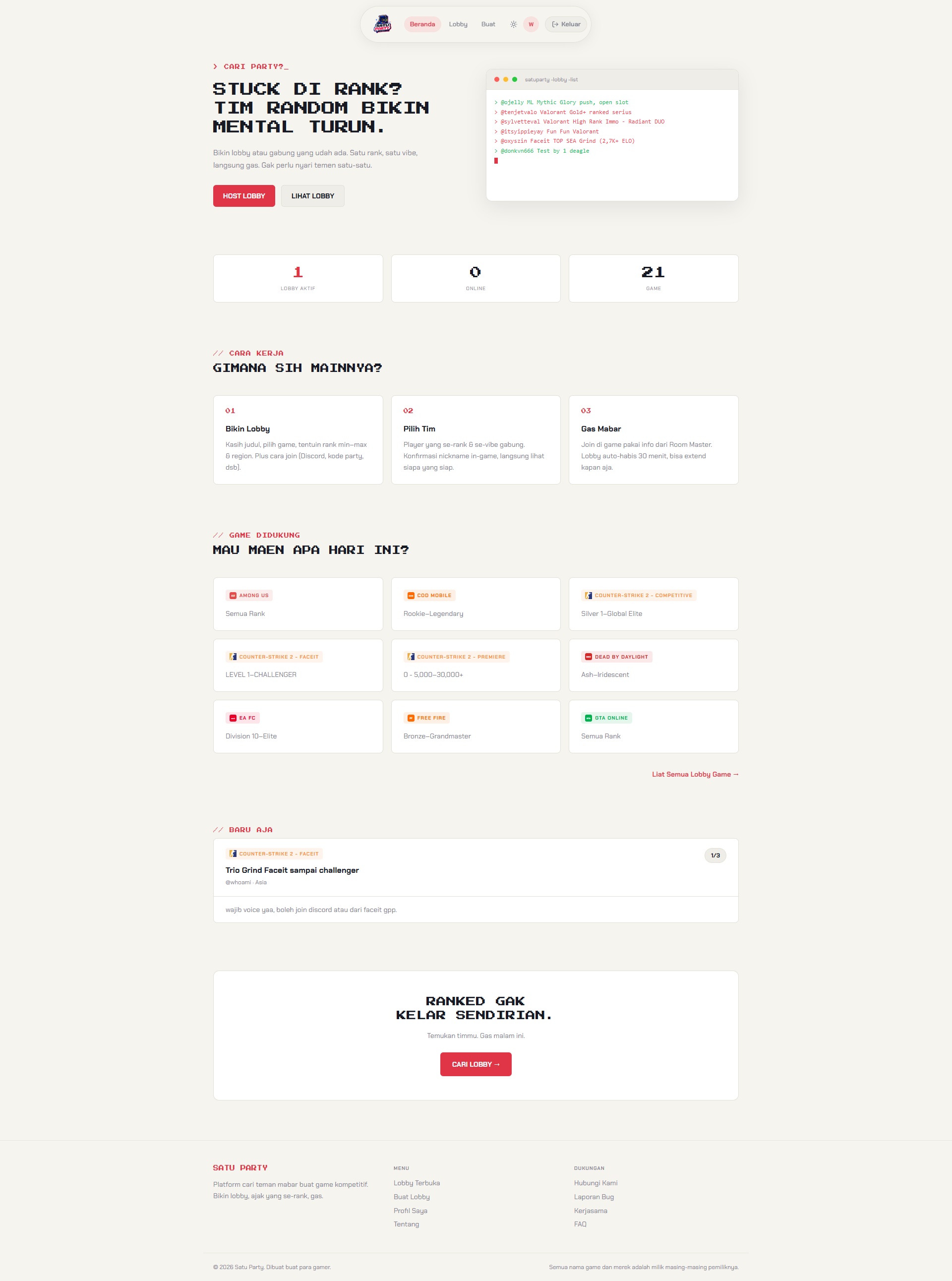
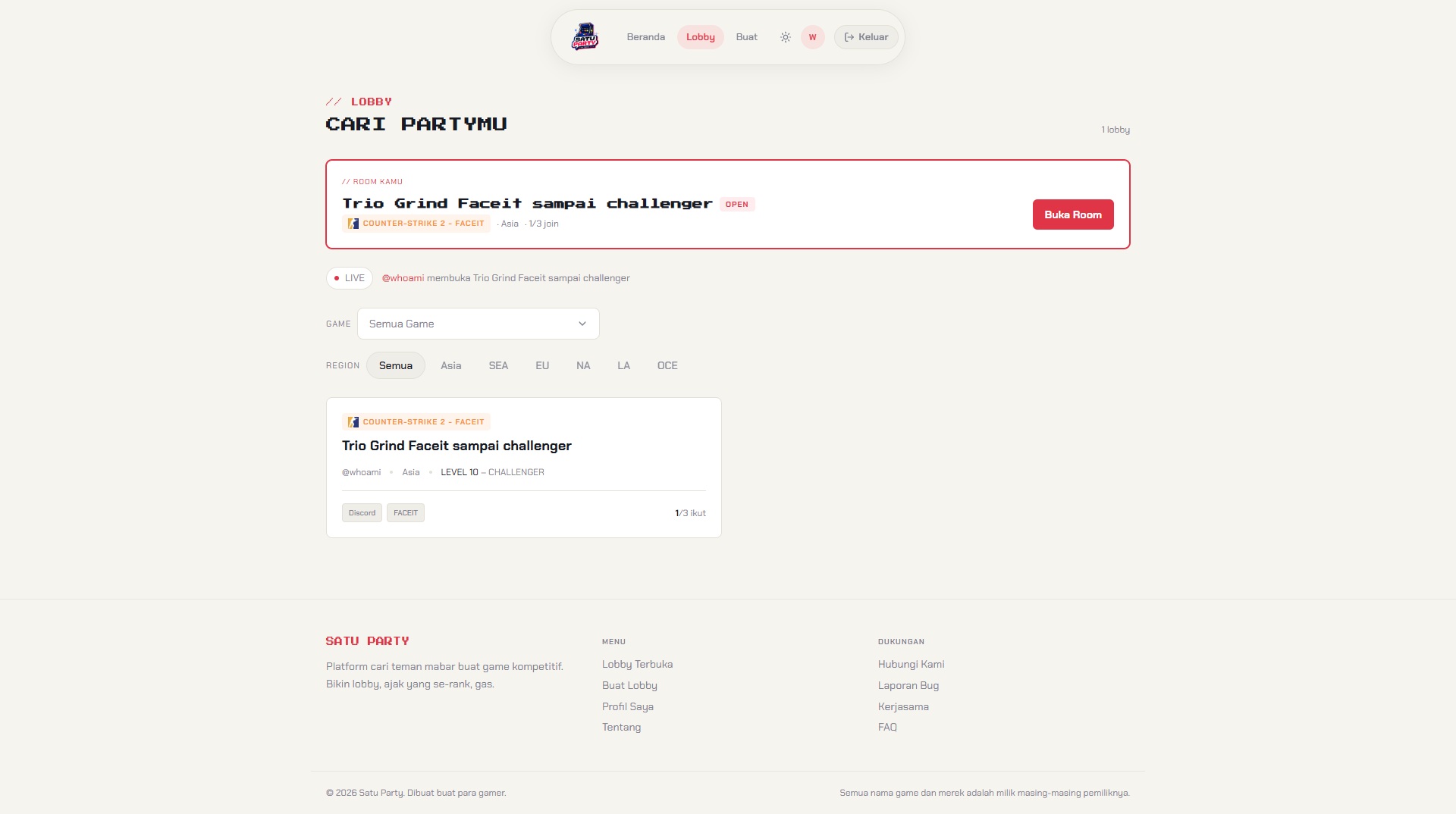
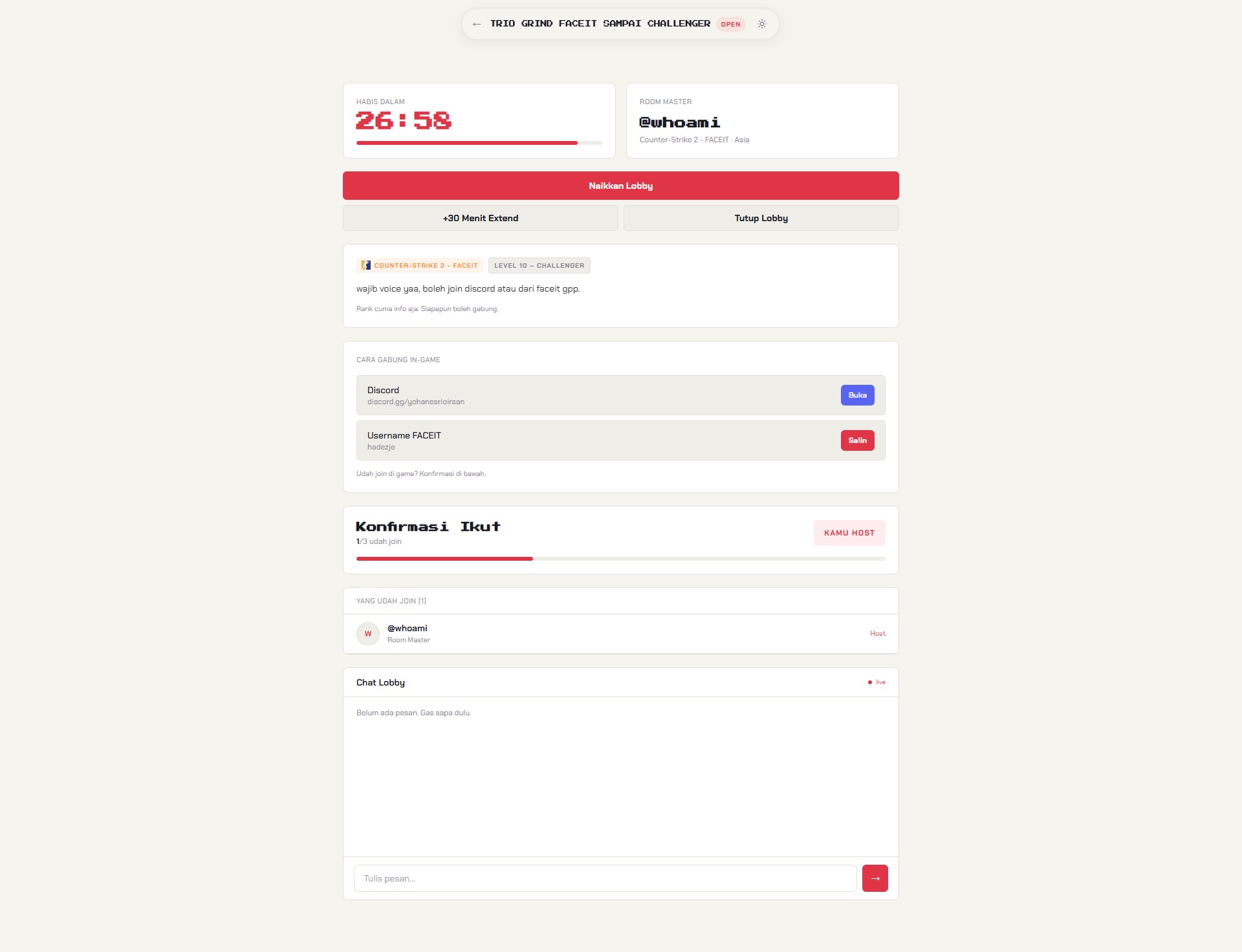
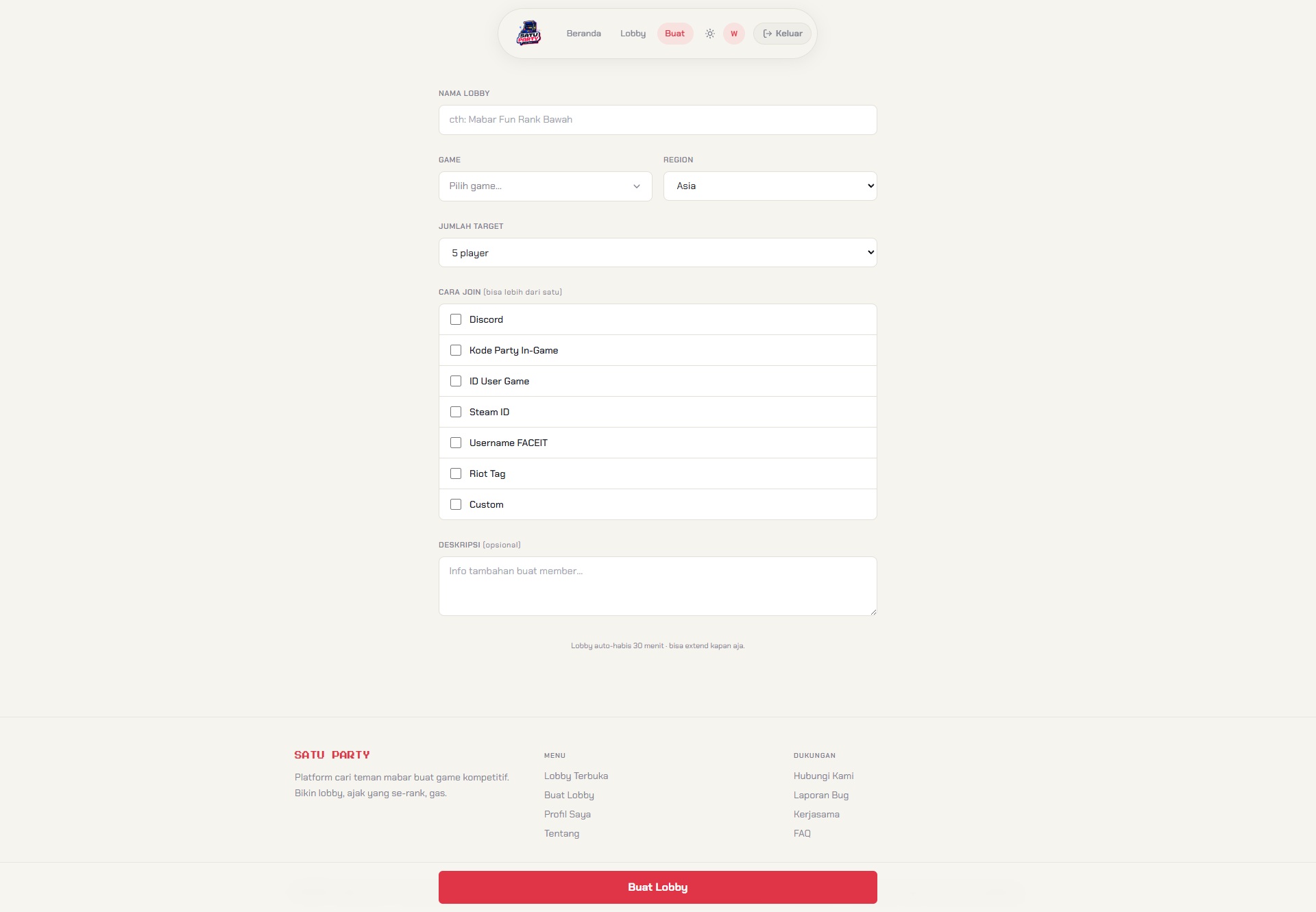
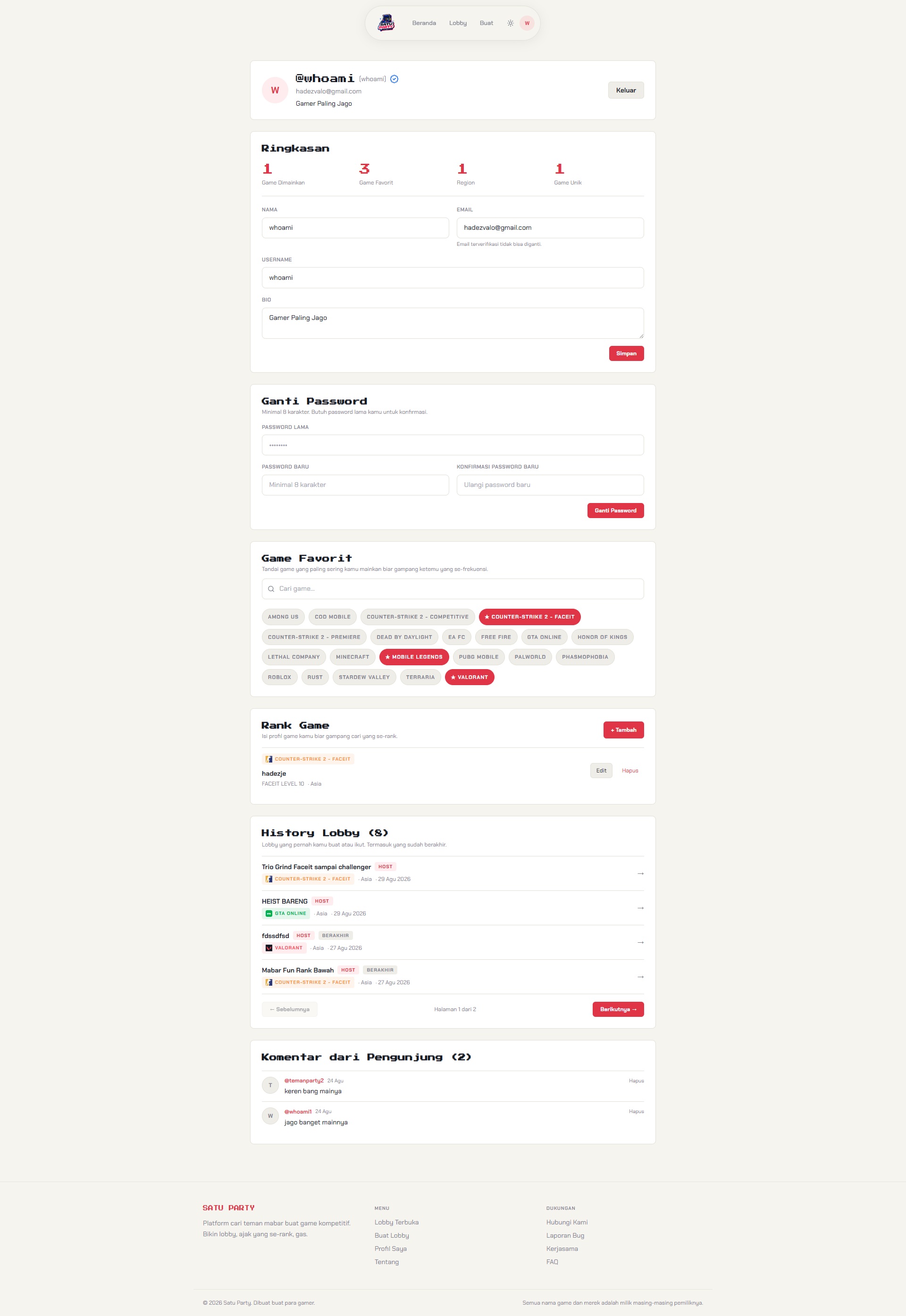
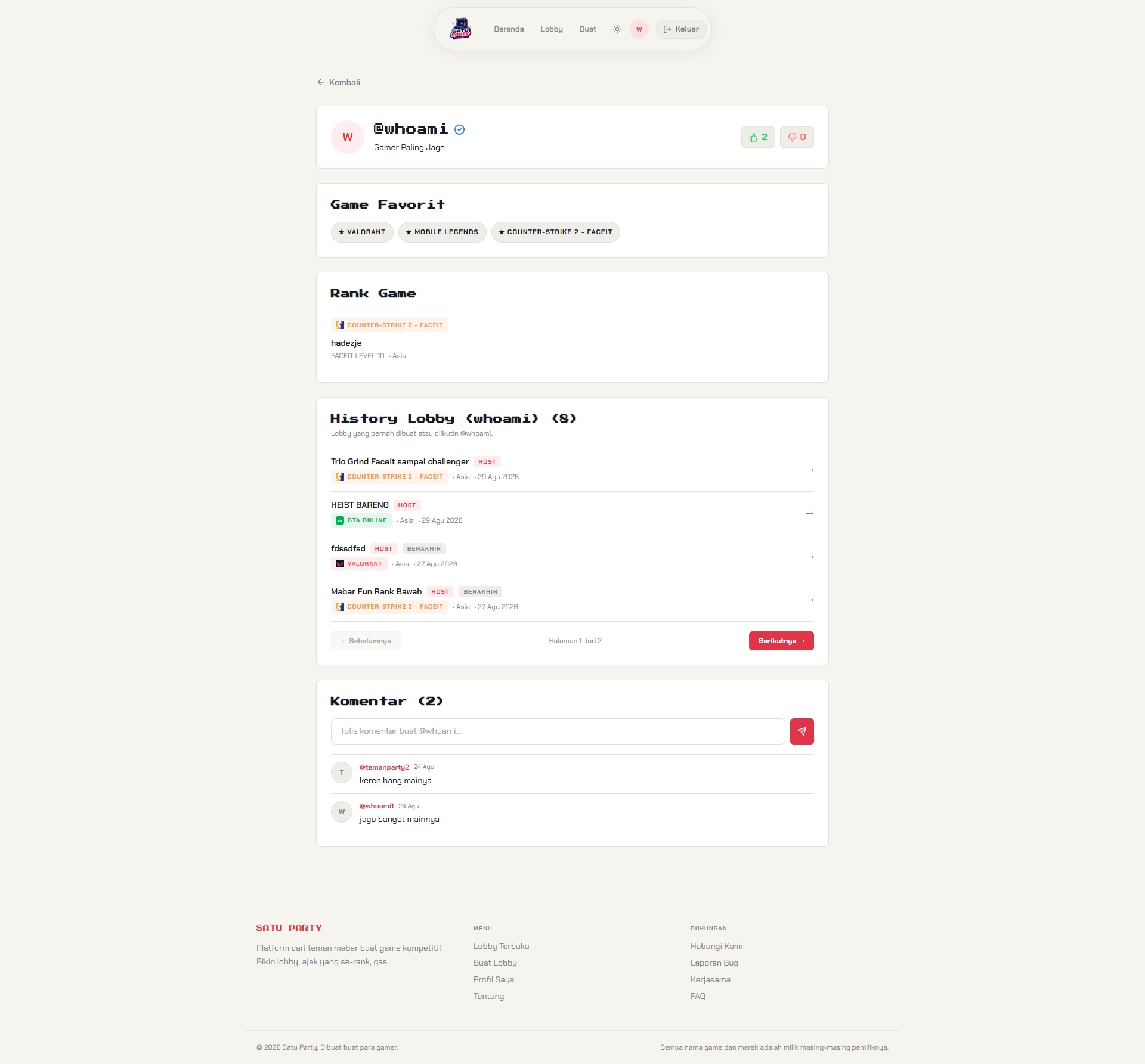
There's still a ton of changes I need to make to get it smoother, this is far from perfect. But for a first attempt at full vibe coding, I genuinely enjoyed the process and the result.